While developing the game, it became clear that a main menu was needed to avoid overwhelming the player with features as they booted up the game.
Before implementing it, it was necessary to design the features for the main menu. For example, it was decided that each game should allow just one pet at a time to avoid complications with the database. Keeping one pet meant storing all information in a single database and therefore avoiding issues with loading the correct one. Players can still choose to adopt a new pet, but they will have to replace the one they already have.
The main menu would also include a number of settings, some of which might be implemented later, such as adding a Boolean to confirm whether the microcontroller is connected to avoid attempting communication when no device is present, or audio settings to control the game’s sound effects and music.
The priority for the settings, however, was to allow the deletion of the player account if they wanted to, and the transferring of the account. Since the scope of the game is to make the pet personal to each user, one of the goals of the project is to prevent users from sharing pets. If the user does need to switch devices, however, the transfer option allows them to do so.
The way the transferring works is that when loading the scene, the game also loads the database. If a player ID is present, the main menu will show the current pet; if no pet is present, it will display a random pet still buried underground, waiting to be picked in the adoption scene. With this setup, when pressing the transfer button, the game is able to differentiate which game should perform the transfer and which one should receive it.
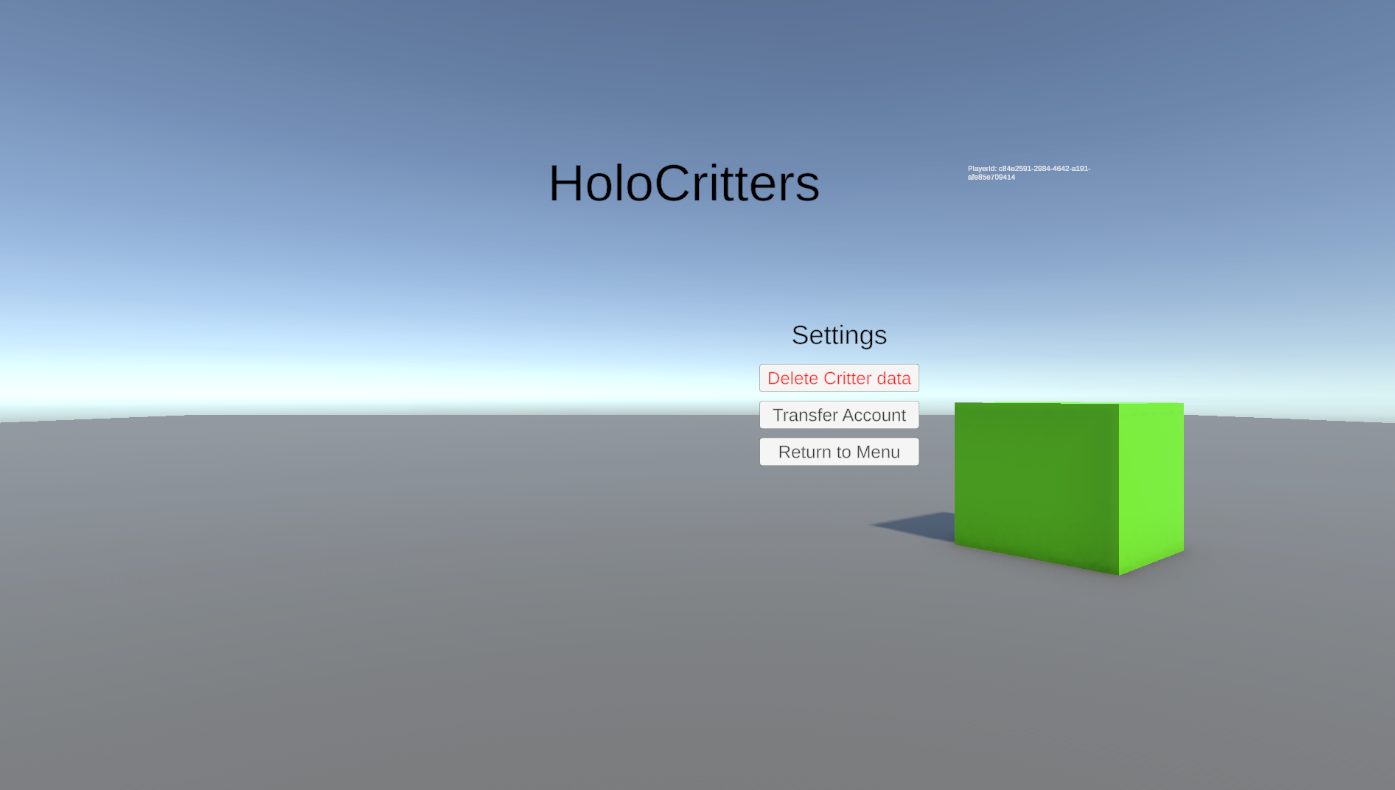
This mechanic has been designed so that it is impossible to transfer a pet to a version of the game that already has a pet adopted, unless the data is deleted first. This keeps it consistent with the choice of allowing just one pet.
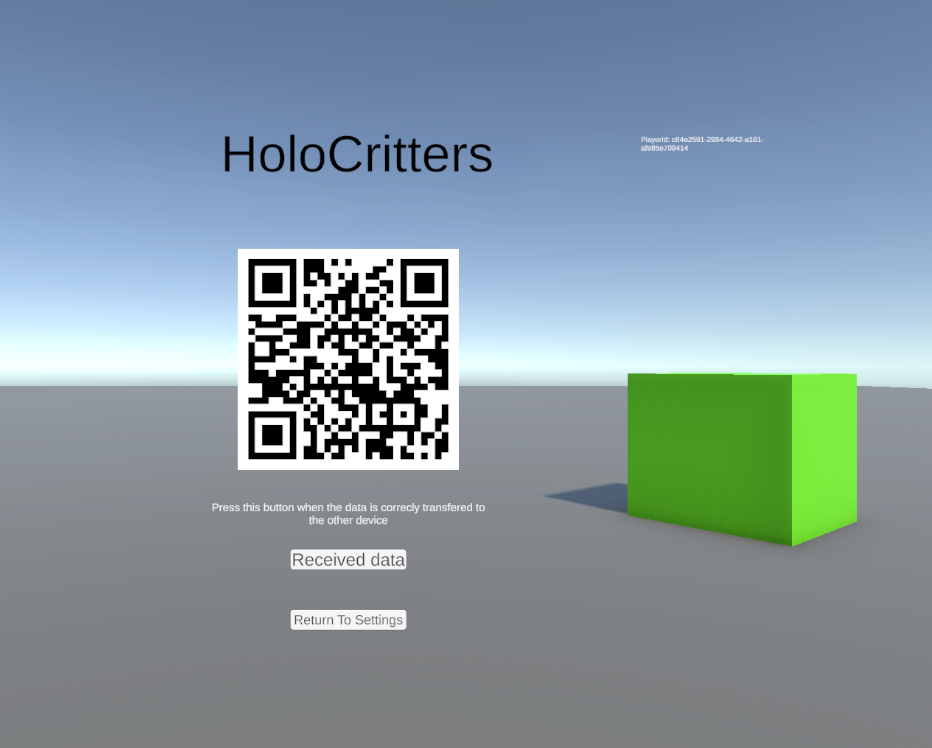
When the transfer button is pressed on the game with a pet, the game generates a QR code with the player ID. This information is also used in AWS to store the pet details in DynamoDB. When the game without a pet presses the transfer account button, the camera opens instead, waiting to scan the QR code from the other game. Once recognized, the game makes an HTTP call to AWS and downloads all the data from DynamoDB.
    public Texture2D GenerateQRCode(string text, int size = 256)
    {
        var writer = new BarcodeWriter
        {
            Format = BarcodeFormat.QR_CODE,
            Options = new ZXing.Common.EncodingOptions
            {
                Height = size,
                Width = size,
                Margin = 0
            }
        };
        Color32[] pixelData = writer.Write(text);
        Texture2D texture = new Texture2D(size, size);
        texture.SetPixels32(pixelData);
        texture.Apply();
        return texture;
    }
After this step is completed, the user will need to press the 'Received Data' button on the original game file that had the pet. This triggers the local database to be deleted, completing the transfer.
Another step to avoid sharing the pet across different devices was to save the device name in the database. If the device name is different from the one stored, the game will recognize the mismatch and prevent the user from continuing the gameplay with the current pet.
   private void completeSetUp()
    {

        if (!string.IsNullOrEmpty(gameDatabase.getPlayerUID()))
        {
            if(System.Environment.MachineName != gameDatabase.getDeviceName())
            {
                Debug.Log("using wrong device");
                //TODO notify player of mismatch and possibly block the game
            }
            if(currentPlayerUUID != null)
            {
                currentPlayerUUID.text = "PlayerId: "+gameDatabase.getPlayerUID();
                isPlayerSharing = true;
            }
            isFirstPlaythorugh = false;
            if (continueButton)
            {
                continueButton.SetActive(true);
            }
            if (critter)
            {
                critter.transform.localPosition = new Vector3(critter.transform.localPosition.x, 0.45f, critter.transform.localPosition.z);
            }
            if(critterMaterial)
            {
                Color colorFromHex;
                if (ColorUtility.TryParseHtmlString(gameDatabase.getCritterColor(), out colorFromHex))
                {
                    critterMaterial.color = colorFromHex;
                }
            }
        }
        else
        {
            isPlayerSharing = false;
            if (continueButton)
            {
                continueButton.SetActive(false);
            }
            if(deleteAccountButton)
            {
                deleteAccountButton.SetActive(false);
            }
            if (critter)
            {
                critter.transform.localPosition = new Vector3(critter.transform.localPosition.x, -0.45f, critter.transform.localPosition.z);
            }
        }
    }