On the 6th of August, the project reached its first build and underwent testing for each of the tasks implemented prior to the build. These tests were carried out internally by the developer (myself) to ensure that each feature functioned correctly outside of the editor.
One of the few bugs encountered was related to the microcontroller’s LED bar and individual LEDs. Since they shared some of the digital I/O pins, activating a specific segment of the LED bar would also cause the corresponding LED light to turn on, and vice versa.
his issue stemmed from the limited number of available pins on the microcontroller. Following further research, it was determined that implementing a shift register would be the most effective solution. Shift registers (74HC595) are specifically designed to expand the number of output pins, allowing multiple devices to be controlled without overloading the microcontroller.
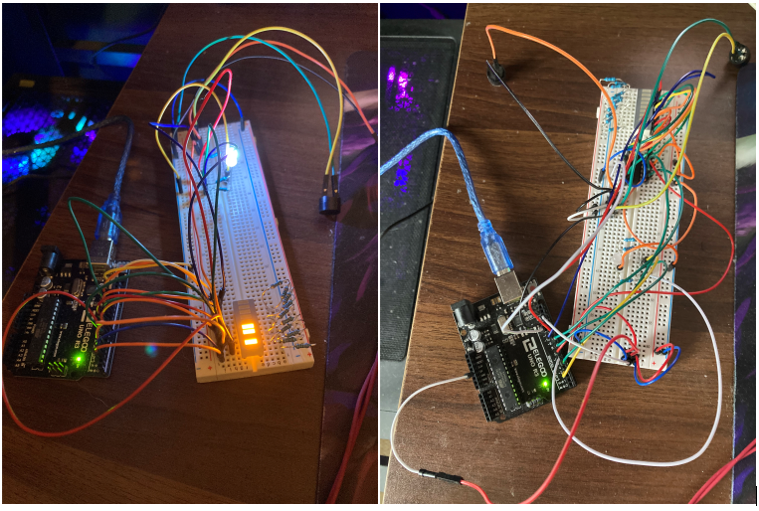
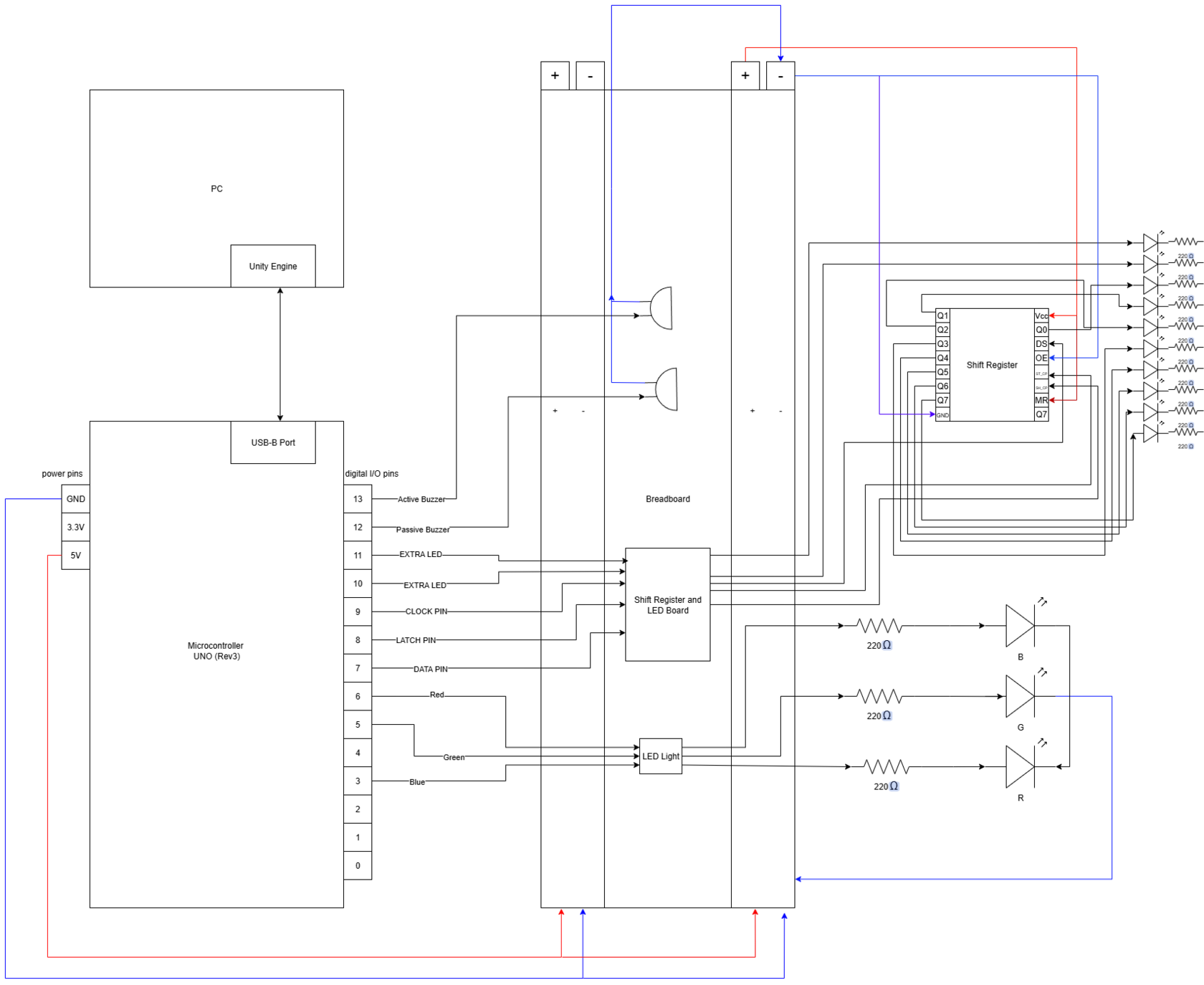
In the picture above, it is possible to see the before-and-after comparison of the microcontroller’s connections. Below is the schematics for the current connections.
Another significant change was to ensure that the microcontroller was integrated into at least one minigame, so that its inclusion served a functional purpose rather than a purely cosmetic one. After several brainstorming sessions, it was decided that the most suitable activity for this type of game would be a small rhythm-based game with the pet. In this game, the microcontroller would randomly generate buzzes using the active buzzer and then send the timing data back to the Unity engine, prompting the user to reproduce the sequence by clicking the mouse at the correct moments.
String CritterCry::startPlayCry()
{
  int numCries = 5;  // For example, make 5 cries
  generateCryPattern(numCries);

  String result = "CRY_PATTERN:";

  for (int i = 0; i < numCries * 2; i++) {
    result += String(cryPattern[i]);
    if (i < (numCries * 2 - 1)) {
      result += ",";  // Add comma between values
    }
  }

  return result;

}

void CritterCry::generateCryPattern(int numCries)
{
    for (int i = 0; i < numCries; i++) {
    int cryDuration = random(100, 300);   // Cry time in ms
    int pauseDuration = random(200, 600); // Pause time in ms

    cryPattern[i * 2] = cryDuration;
    cryPattern[i * 2 + 1] = pauseDuration;

    // Play the cry
    digitalWrite(activeBuzzerPin, HIGH);
    delay(cryDuration);
    digitalWrite(activeBuzzerPin, LOW);
    delay(pauseDuration);
  }
}